How to earn with the Sendd referral program
Share your referral link and earn a recurring commission every time a store you refer makes a sale.
Category: Marketplaces and growth
The Sendd referral program pays you for introducing other sellers to Sendd. You do not need to run ads or manage a store for someone else. You simply share your unique referral link or code, and when a new store signs up through it, you earn a recurring commission on everything that store sells for years afterward. This guide explains how the referral program works, how to share your link and where to track your results.
What the referral program is and when to use it
The referral program turns your network into an income stream. It works well if you already talk to other business owners, run a community of sellers or simply want an easy way to earn from Sendd beyond your own store’s sales. Because the reward is recurring rather than a one-off bonus, referring even a handful of active stores can build into a steady secondary income over time.
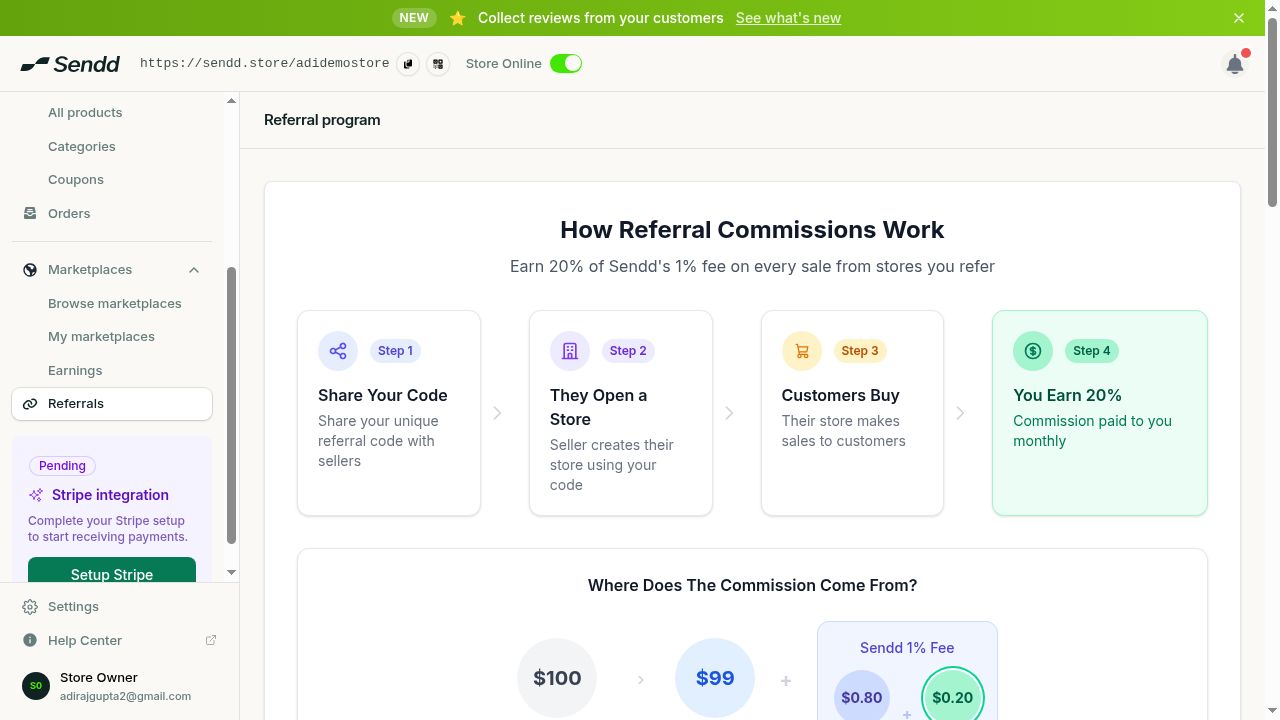 Share your code, they open a store, customers buy, you earn 20%.
How to get and share your referral link
Steps:
- Open
Referralsin the sidebar. - Find
Your referral link, for example sendd.store/r/CODE, and copy it. - Alternatively, copy your referral code on its own if you prefer to share a short code instead of a full link.
- Share the link or code with sellers who are considering starting a Sendd store, through email, social media, a link in your store’s social bio or in person.
- Any store that signs up using your link or code is linked to you automatically, no manual entry needed on your side.
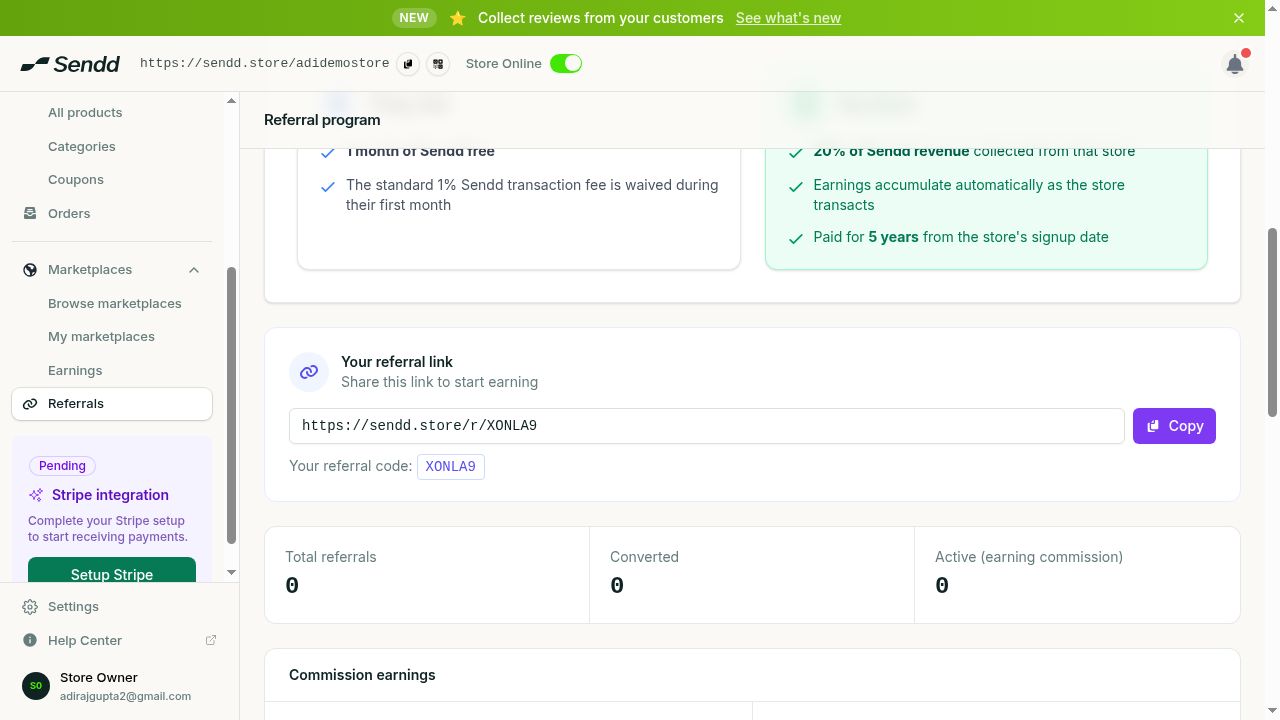 Your unique link and code with referral stats.
How referral commission works
When a store signs up through your referral link, you earn 20% of Sendd’s 1% platform fee on everything that store sells, paid monthly, for five years from their signup date. This means your reward is proportional to the referred store’s success: the more they sell, the more you earn, with no cap on the number of stores you can refer.
The referred store also benefits directly: their first month’s platform fee is waived, which gives them a friendly reason to use your link over signing up unreferred.
Tip. Add your referral link to your own store’s social bio or newsletter footer so it keeps generating new referrals passively, without you having to share it manually each time.
Tracking your referrals
The Referrals page shows stats for total, converted and active referrals, so you can see at a glance how many people clicked your link, how many actually opened a store and how many are still active sellers generating commission for you today.
Example: referring a friend who is starting a side business
You share your referral code with a friend who wants to sell handmade candles online. They sign up using your code, their first month’s platform fee is waived and from their very first sale onward you earn 20% of Sendd’s 1% fee on their revenue, paid monthly, for five years.
Example: sharing your link across social channels
You post your referral link on your business Instagram and TikTok, several sellers in your niche sign up and the Referrals page shows the total number of clicks, how many converted into signed-up stores and how many remain active, letting you see which channel drives the strongest referrals.
Note. Commission is calculated from Sendd’s 1% platform fee on the referred store’s sales, not from the referred store’s total revenue directly.
Frequently asked questions
How much do I earn per referral?
You earn 20% of Sendd’s 1% platform fee on everything the referred store sells.
How long does the referral commission last?
Commission is paid for five years starting from the referred store’s signup date.
When is referral commission paid?
Commission is paid monthly, for as long as the referred store keeps selling within the five year window.
What does the store I refer get?
The referred store gets its first month’s platform fee waived when it signs up using your link or code.
Who can join the referral program?
Any Sendd seller can find their referral link and code under Referrals and start sharing it.
How are referrals tracked?
Stores that sign up using your referral link or code are linked to you automatically, and your results appear as total, converted and active referrals on the Referrals page.
Is there a limit to how many stores I can refer?
There is no stated limit. You can share your link or code with as many prospective sellers as you like.
Do I need to do anything after someone signs up with my link?
No. Once a store signs up through your link or code, the link is automatic and your commission accrues as they sell, visible on the Referrals page.
Next steps. Copy your referral link from
Referralsand start sharing it, then read how to share your Sendd store so your own storefront is easy to find too.
Related articles