Adding Social Media Links
This article shows you how to add your Social Media Links to your Sendd Store.
In your Store Details page you can find a button called Add Links as shown below:
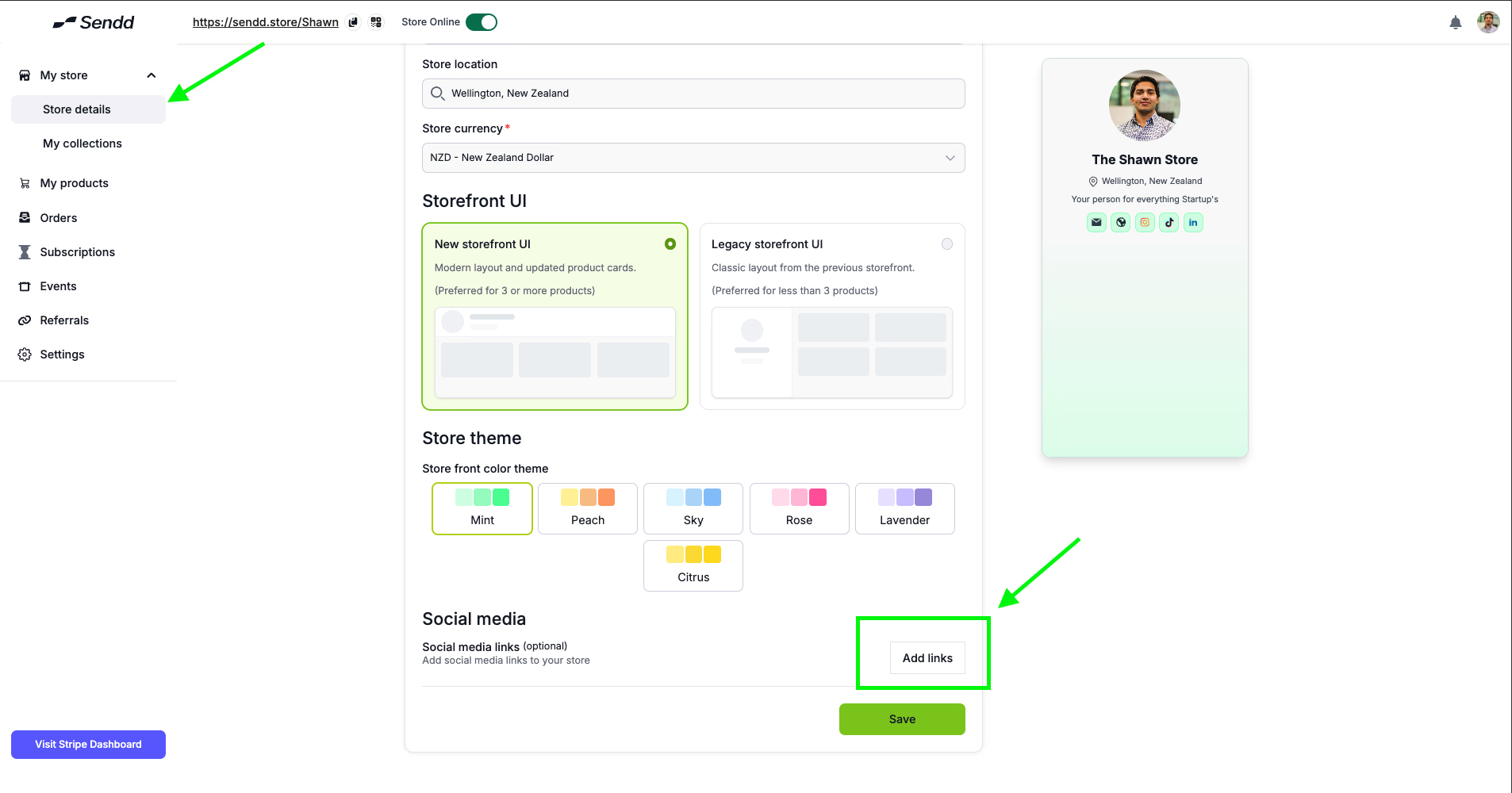
This will lead you to a page (refer image below) where you can insert all your Social Media links directly into your Sendd Store.
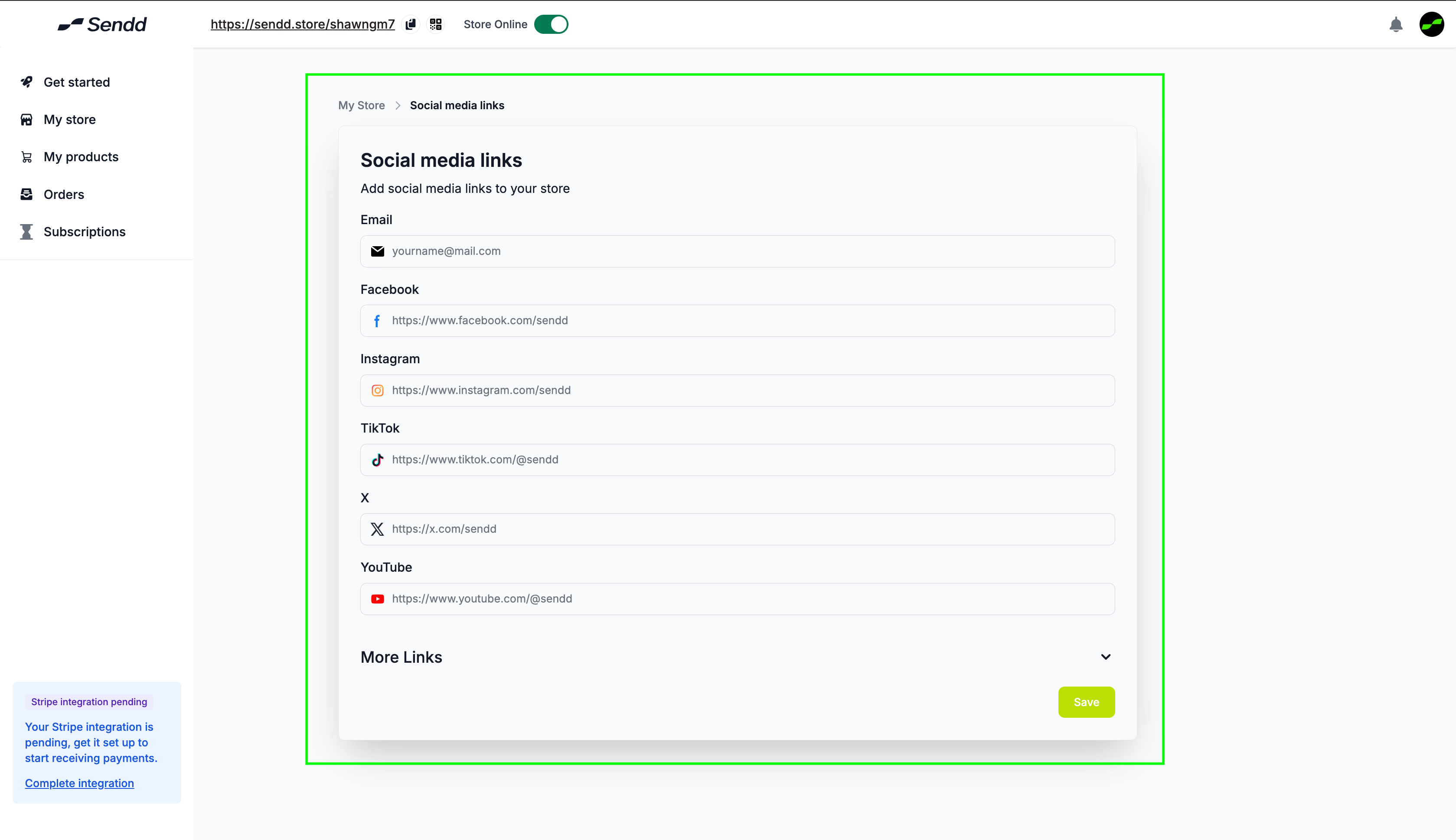
Recommendation: Add all Social media channels that are directly linked to how your business markets your products, or if you are just a hobby seller, this won’t affect you directly.
Last updated on