Store Setup
Listing a product on Sendd store
this articles helps you List any kind of product on your sendd store, see following articles for specific product types.
Sendd Store offers every seller a variety of product types that I can choose to sell with, this can vary and apply to what your business does or how it functions.
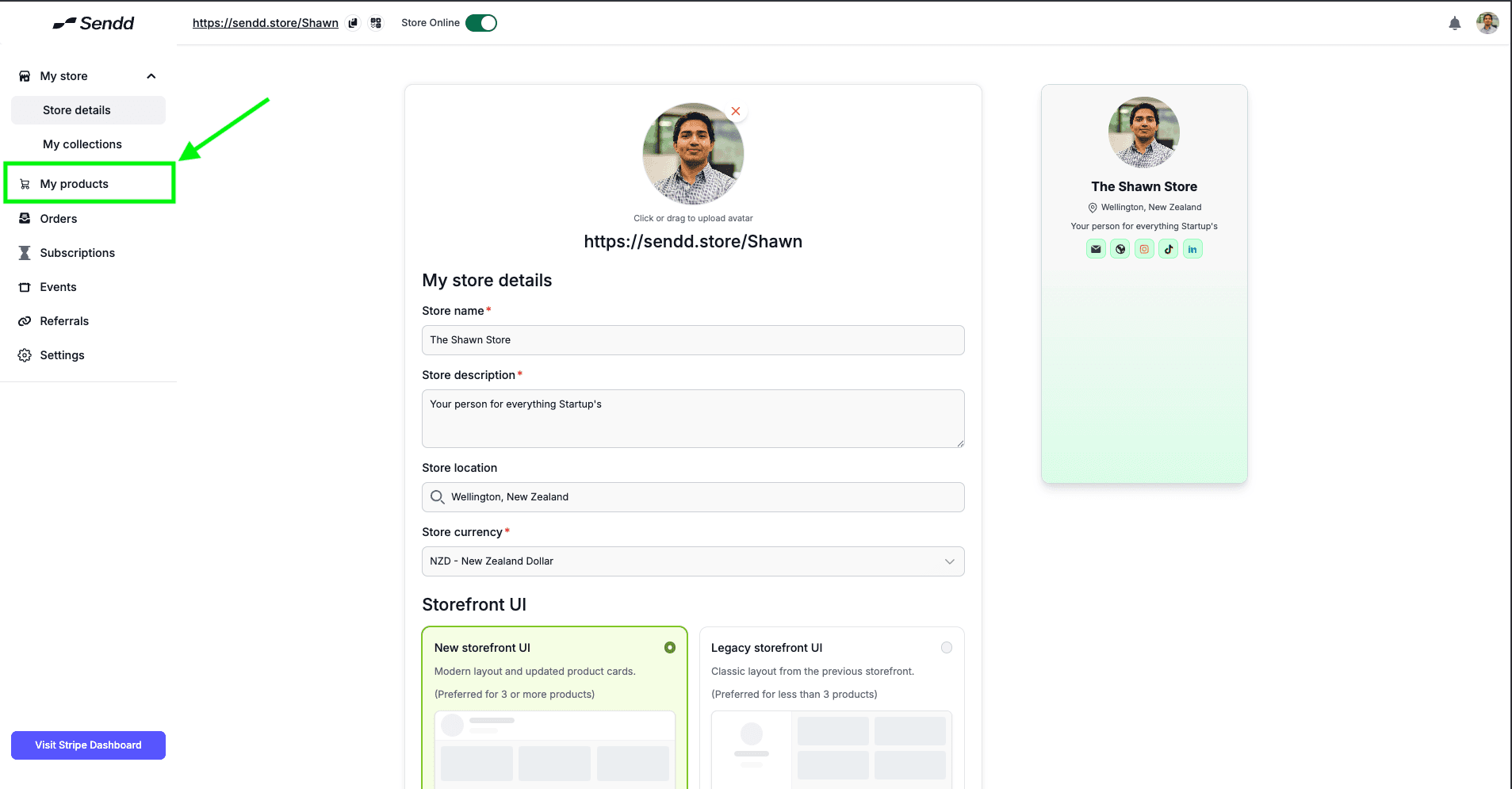
In order to Add a Product click on Products in your left hand pane:
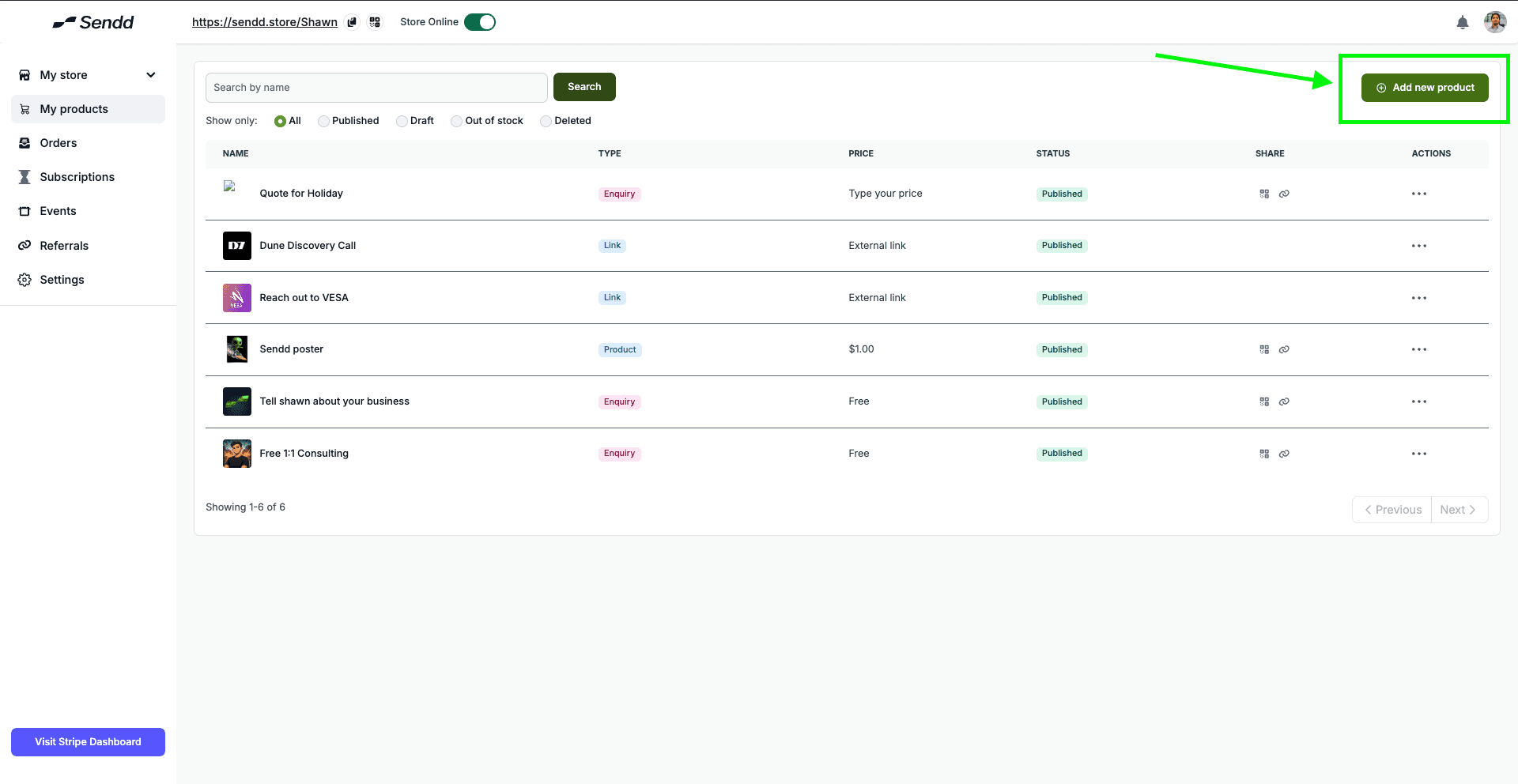
After that, click on the Add New Product Button on the top right corner of the webpage
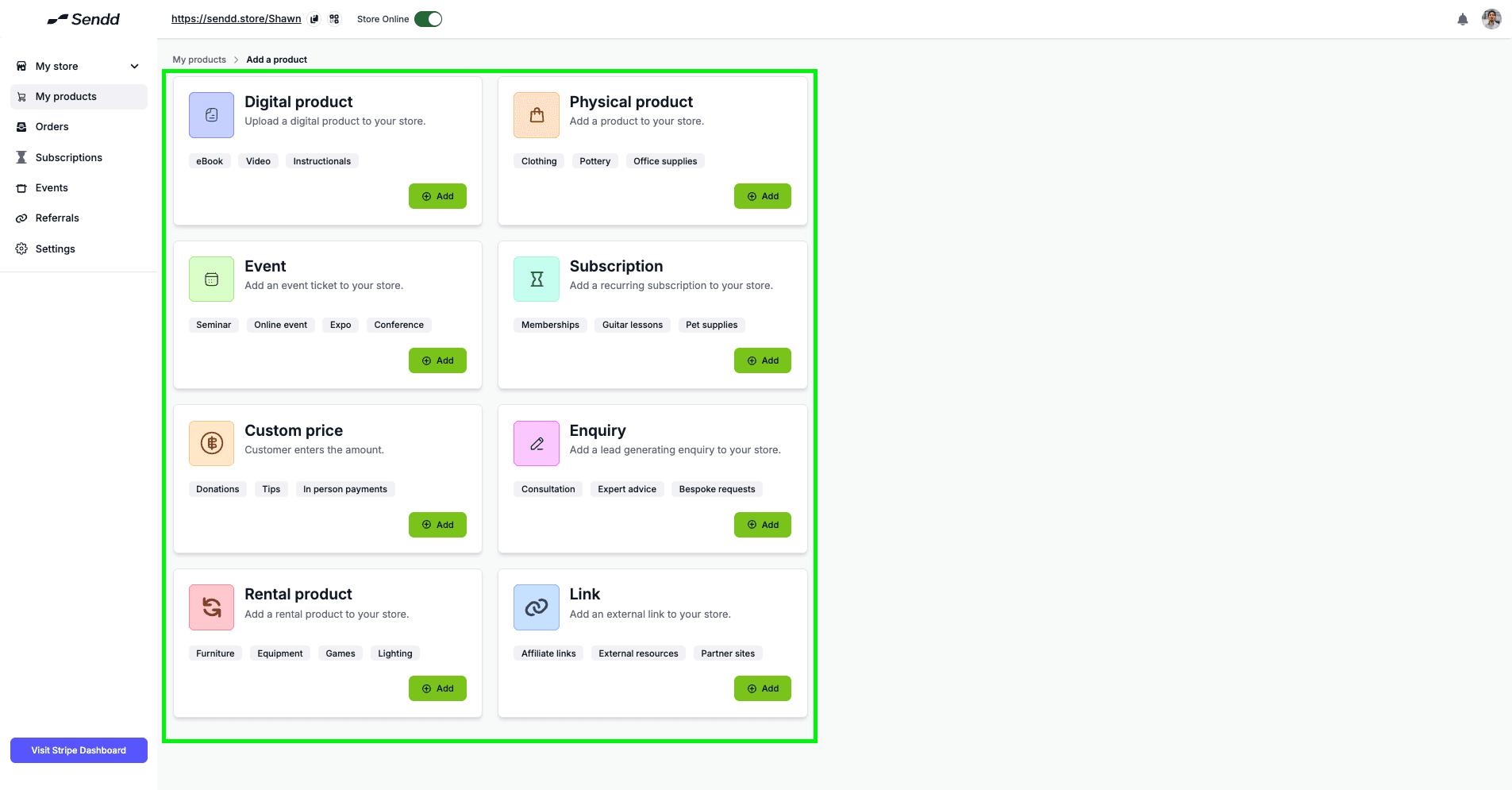
Once the Add new Product button is clicked, you will be taken to the following page that shows the different types of products sendd offers you to list:
Digital Products: Sell downloadable items like ebooks, templates, courses, software, music, or files that customers receive instantly after purchase.
Physical Products: Sell tangible goods that require shipping or local pickup, such as clothing, art, merchandise, or handmade products.
Events: Sell tickets for events like workshops, meetups, concerts, or conferences with built-in checkout and attendee management.
Subscriptions: Charge customers on a recurring basis (weekly, monthly, or yearly) for memberships, exclusive content, or ongoing services.
Custom Price: Allow buyers to enter their own price or pay a flexible amount for a product or service (great for donations or pay-what-you-want offers).
Enquiry: Let customers submit an enquiry or request before purchasing, useful for services, custom work, or quotes.
Rental Product: Offer products that customers can rent for a specific time period, such as equipment, gear, or event items.
Link: Redirect customers to an external website, booking page, or resource while keeping everything organized in your Sendd storefront.
In the next following articles, we will have a detailed walk through of how to setup all of these different kinds of products in a 1 article for 1 product type format.
Any other questions? Get in touch