Store Setup
Adding Social Media Links
This article shows you how to add your Social Media Links to your Sendd Store
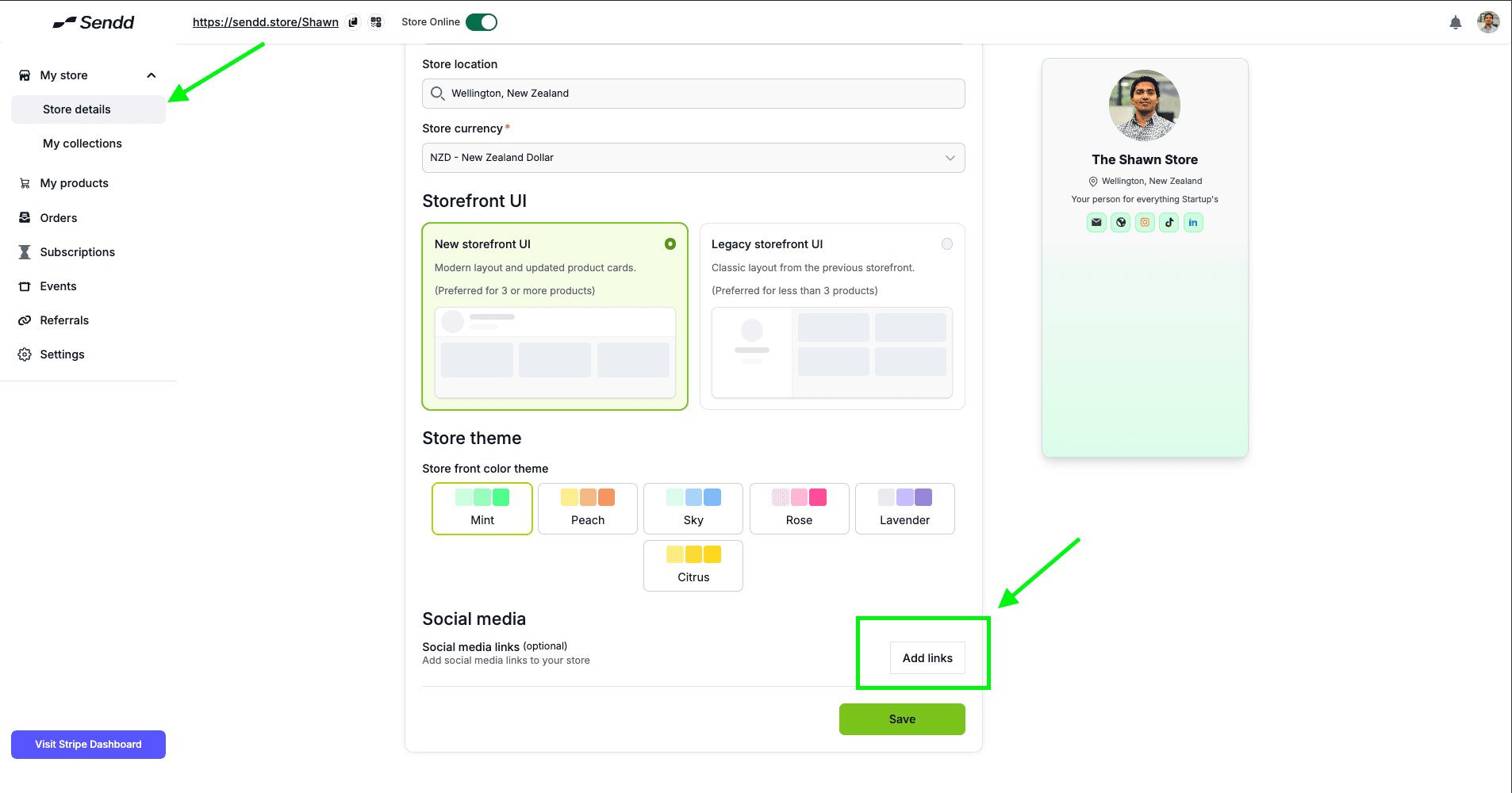
In your Store Details page you can find a button called Add Links as shown below:
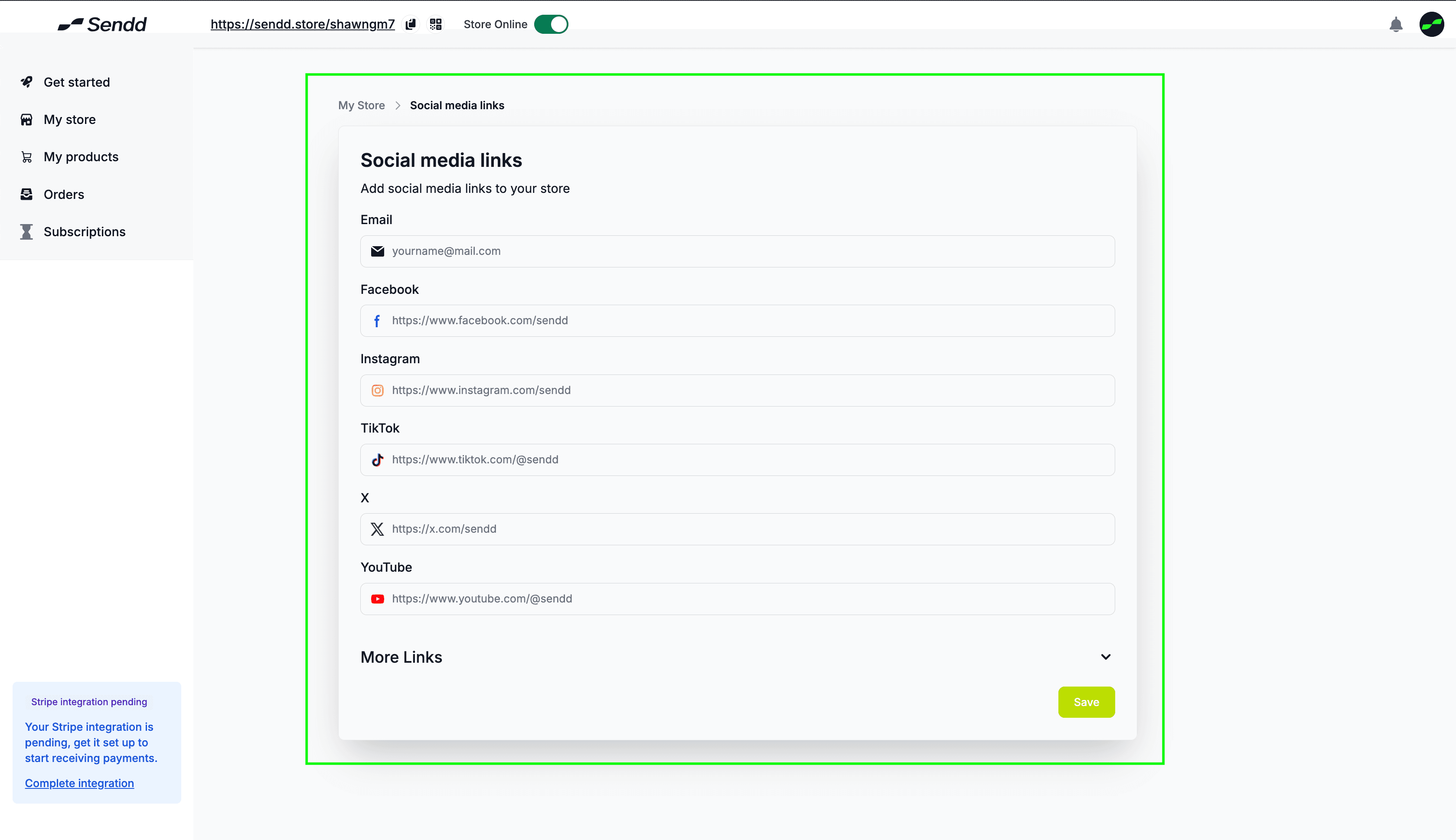
This will lead you to a the page(refer image below) where you can insert all your Social Media links, directly into your sendd store
Recommendation: Add all Social media Channels that are directly linked to how your Business markets your products, or if you are just a hobby seller, this won't affect you directly.
Any other questions? Get in touch