Store Setup
Add Enquiry forms
This article helps you setup an Enquiry/discovery form for your potential customers or even just people who are interested in what you have to offer.
Enquiry Forms on Sendd are useful for businesses that don’t sell a fixed product or price upfront and instead need to collect customer details before providing a quote or custom solution. They allow potential buyers to submit requests directly through a Sendd store so the business owner can review the requirements and follow up.
This works especially well for service providers like photographers, designers, event planners, caterers, consultants, or agencies where every job is slightly different. It’s also useful for custom product businesses (like tailored clothing, handmade goods, or bulk orders) where pricing depends on specifications. Instead of losing leads through DMs or emails, enquiry forms capture structured requests in one place so business owners can respond quickly and convert interest into sales.
How to add a new Enquiry Form?
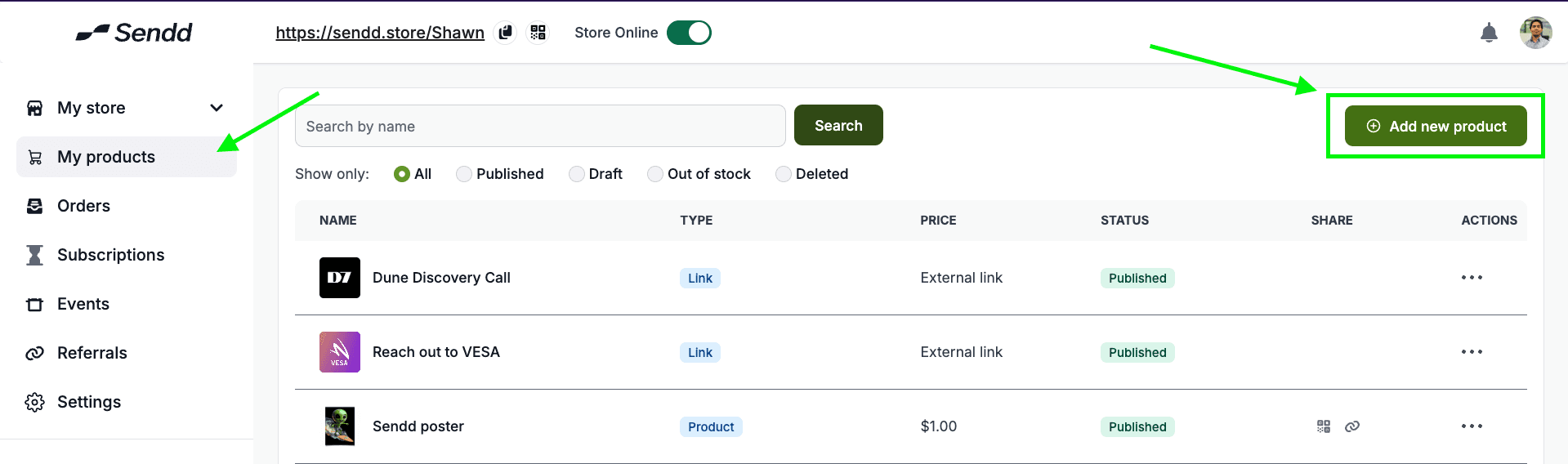
Click on My Products and then click on Add new product,
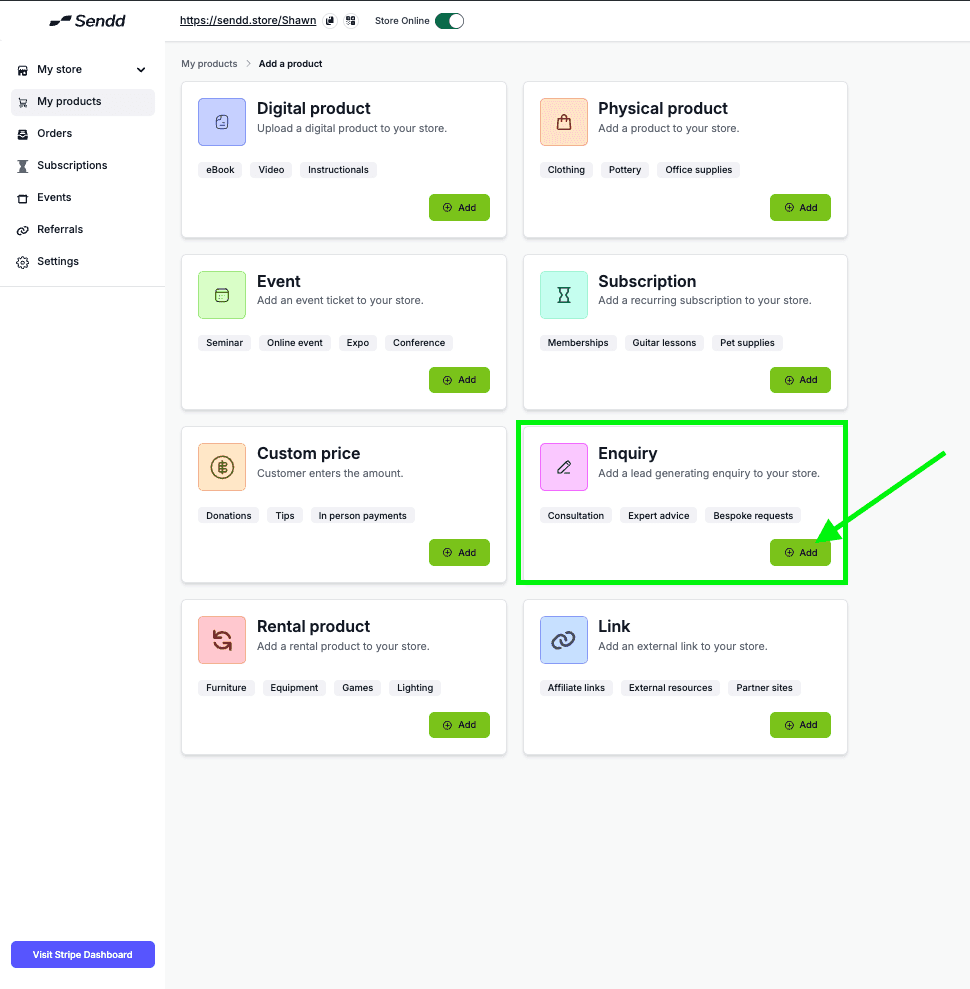
Click on Enquiry
As very similar with other products you have to:
Upload a Preview image
Insert a Title and Description
Price for enquiry, in most cases you can keep it free, but it also lets you charge which is optional.
Customize button, to show what the customer sees on the Preview card.
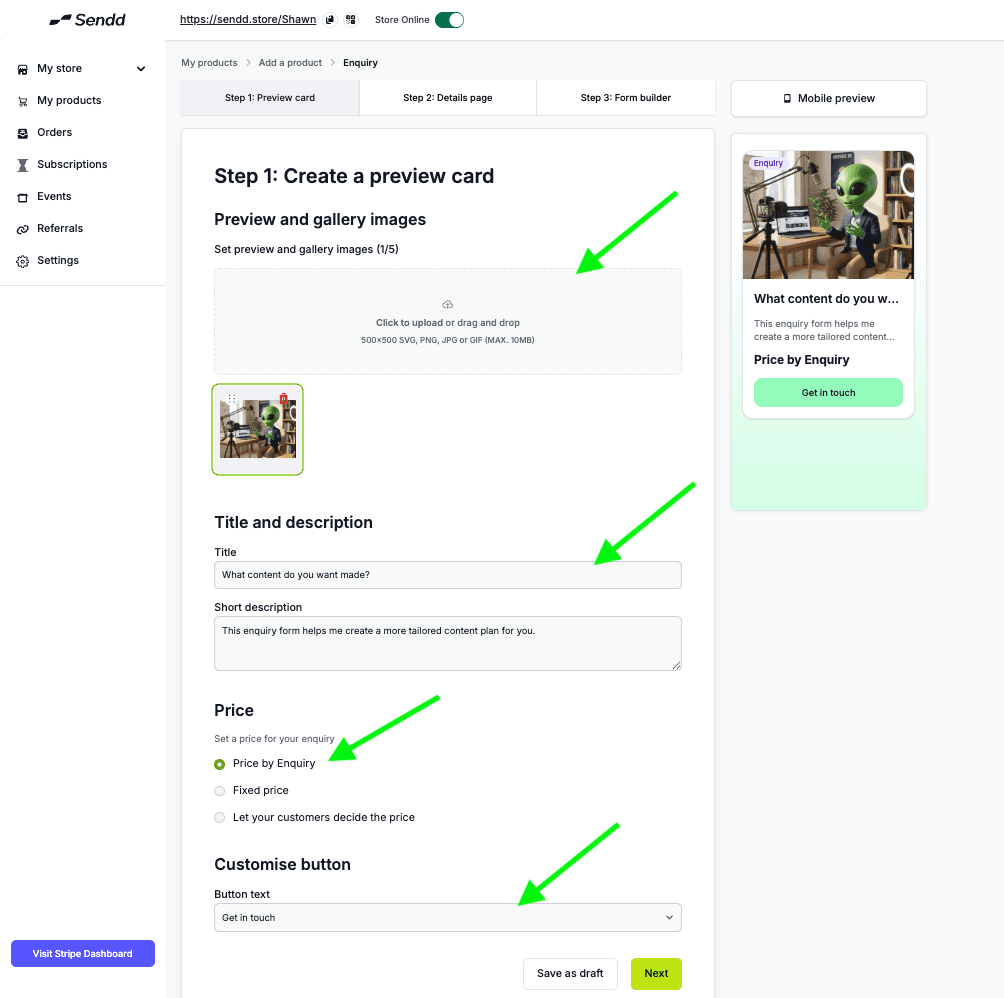
Hit Next
as Shown below, follow the steps as we go:
Add a Detailed Description about your Enquiry form and its purpose
Add in Benefits to why the enquiry form is helpful to your customers (optional)
Customize the button your customers will see in the Details Page
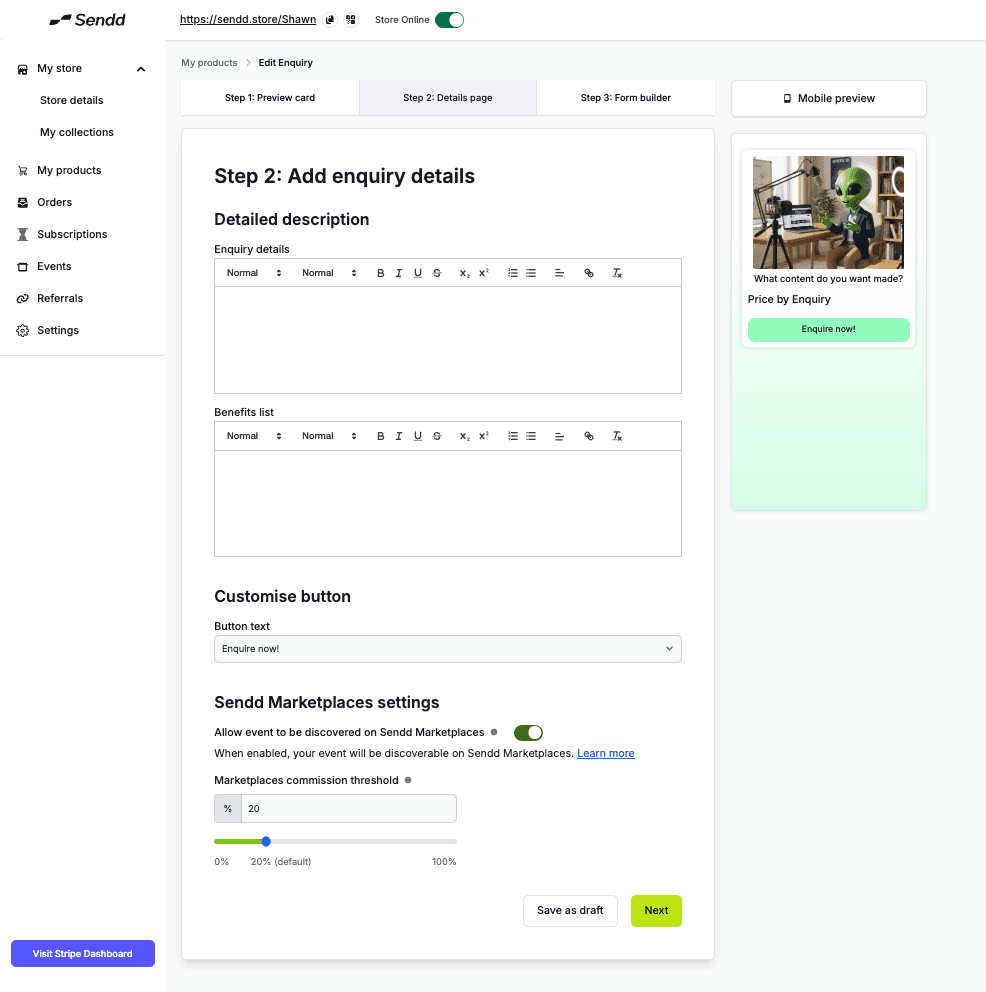
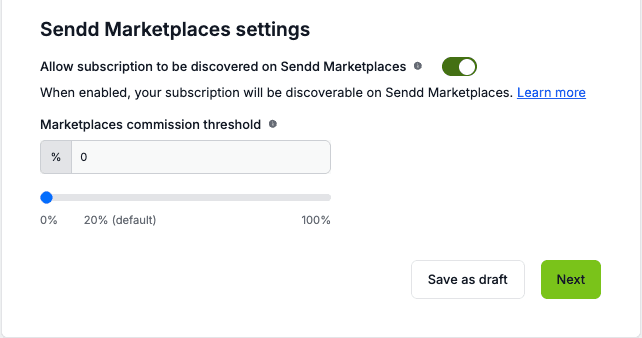
Sendd Marketplace Option: get your Enquiry form for your services visible on larger marketplaces. This Commission threshold will dictate how much marketplace commissions you are willing to give away for more visibility. Read more at : https://www.sendd.store/docs/getting-started
Now we get to the Form Builder,
you have the options to add new fields at the bottom by clicking on Add Field, this gives you the option to create four kinds of questions:
Phone number
Free text question: Let your customer type out in a field to answer.
Single option Question: let your customer pick on option from a list of options.
Multiple option Question: let your customer pick multiple options from a list of Options.
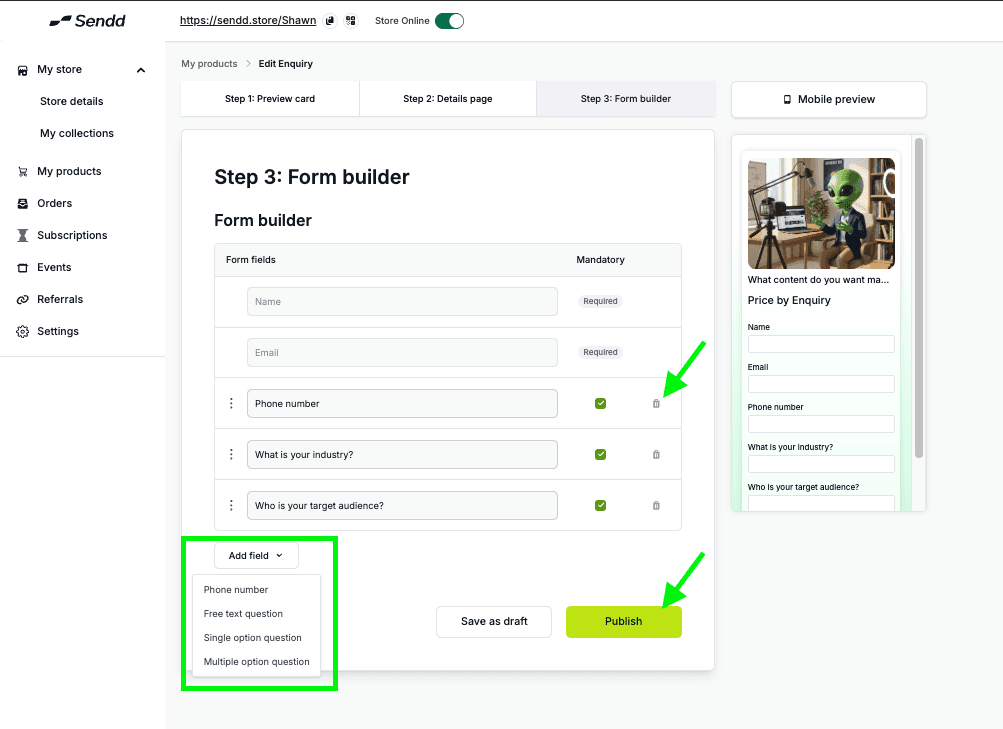
Once confirmed after filling out your forms with your custom questions, Hit Publish
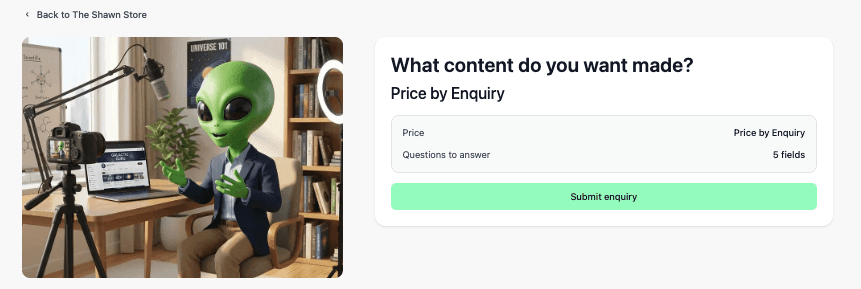
Your Enquiry product will show up on your Store!
Any other questions? Get in touch